
Workflow and Automation
Work gets messy when it has to pass through too many hands and too many tools. Someone submits a request, someone approves it, someone updates a spreadsheet, and someone else still asks, “Where is this stuck?” Even good teams lose time in that loop because the work is not flowing on its own.
Workflow and automation are about fixing that by defining how work should move, then letting a system move it for you. When it is done well, people stop chasing updates and start finishing work, and the process stays clear even when volume grows.
What Is Workflow Automation?
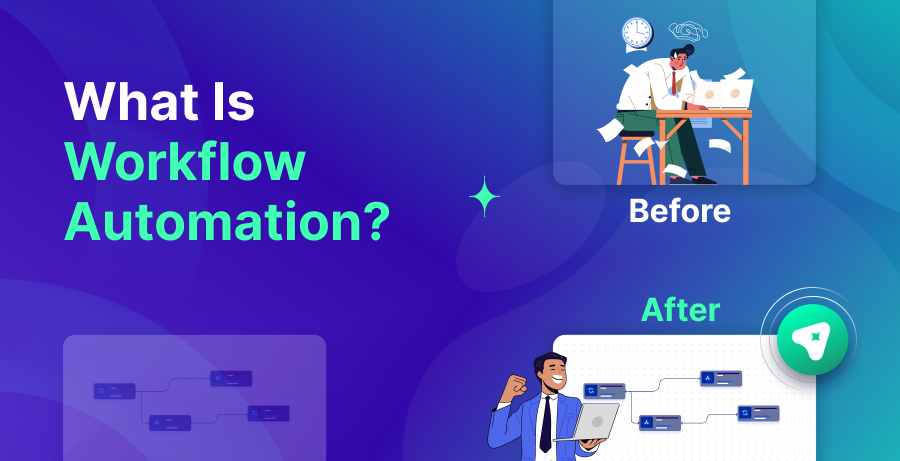
What is workflow automation in plain terms? It is the use of software to move a piece of work from one step to the next without manual follow-ups. A “workflow” is the path the work takes, and “automation” is the part that pushes it forward when the next step is known.
Workflow automation is a recurring set of steps that runs automatically when the rules match. It takes care of routing, approval requests, and record updates that would otherwise depend on people moving work from one place to the next. It can range from simple ticket routing to important controls like approving spending before money is committed.
This does not remove accountability; it removes the surrounding busywork. The decision stays with the manager, but the workflow makes sure the request arrives on time, prompts when it is waiting, and stores the decision once it is made.
What Is Workflow Automation Software?
Workflow automation software allows teams to create repeatable processes that run with minimal manual work. It lets teams set triggers, create rules, introduce approval steps, push notifications, and link the workflow to your existing tools.
It acts like a traffic controller for work. A request enters the system, the tool assigns the next step to the right person or system, and it tracks progress until completion. Many teams value the visibility as much as the automation, since a clear view of pending work reduces delays and surprises.
The best workflow automation software makes it easy to start small. You should be able to automate one workflow, test it with real requests, and expand only after the first flow feels stable. When a tool forces you into a complex setup on day one, adoption usually suffers and people revert to manual work.
The Relationship Between Workflow and Automation
Workflow and automation are related, yet not the same. A workflow is the path the work follows, step by step. Automation is what pushes the work along that path once the rules are met.
This matters because many teams automate too early. They add automation to a messy process, and the mess simply moves faster. That is where confusion grows, because the system is following rules that were never clear in the first place.
Workflow and process automation work best when the process is understood first. Once the steps are clear, automation becomes the helpful engine that removes the chasing and the repeated updates. In that setup, the system does not replace judgment, but it protects the process from being slowed down by coordination.
Importance of Workflow and Automation
The value of workflow and automation shows up in the small moments. If everything depends on people remembering, replying, and following up, work drifts. Delays turn into repeated reminders, extra messages, and status confusion, and the noise grows faster than the work itself.
Workflow automation also makes work consistent because two team members should not handle the same request in two different ways just because one person knows the process better. When the flow is built into a system, the process becomes easier to repeat and easier to teach.
Visibility is another big reason because when work lives in scattered messages, nobody can see where it is stuck until something breaks. With workflow automation, you can see ownership and status, which makes bottlenecks easier to fix and easier to prevent.
There is also a trust effect because when teams believe the workflow is reliable, they stop asking for manual confirmation and they stop building their own side processes. That is one reason workflow and automation often reduce internal friction, even before they save large amounts of time.
How Workflow Automation Works?
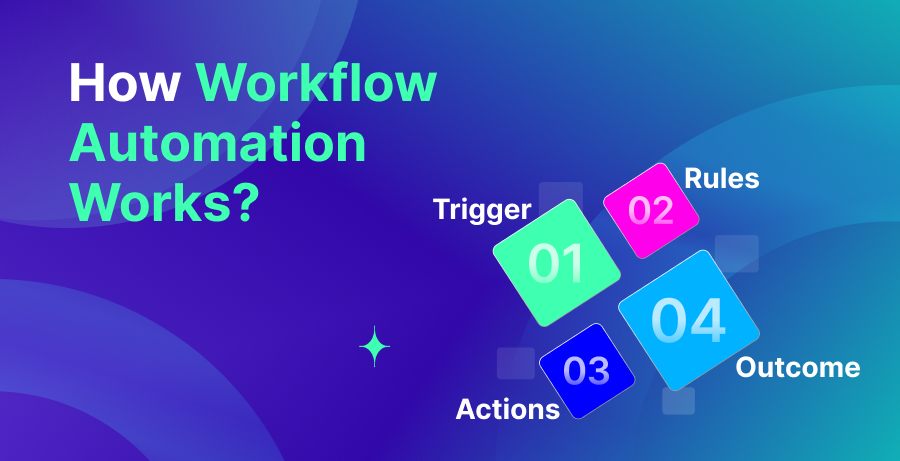
Most workflow automation follows a simple structure. A trigger starts the workflow, rules decide what should happen, and actions move the work forward. Then the system tracks the outcome and surfaces exceptions.
Automated workflows usually begin when something changes. A form gets submitted, a ticket is created, a shared inbox receives a message, or a CRM deal advances to a new stage. The workflow picks up the details from that event and assigns the next step using rules you set.
Those rules can cover common scenarios: larger requests can go to approval, smaller ones can skip ahead, and urgent items can take a faster route than routine work. The advantage is consistency, since the system makes the same choice every time instead of depending on someone to remember.
Actions are the “do something” steps where the workflow can create a task, send a notification, update a record, request missing information, or move a ticket to the next stage. A good system also records what happened, so teams can understand outcomes without digging through old messages.
The final piece is exception handling because real work has missing details, unclear requests, and failures in connected tools. Strong automated workflow systems do not pretend those cases do not exist. They make exceptions visible and route them to a person who can resolve them without restarting the whole process.
Benefits of Workflow Automation
Workflow automation helps because it reduces coordination work while keeping work consistent. The benefits usually show up across speed, quality, collaboration, and cost.
Faster Work
Work moves faster when handoffs happen automatically, because people do not have to chase the next step. A request reaches the right owner without delays, and reminders happen without someone being forced to chase the same person twice.
Speed also improves when routing is consistent. Work stops bouncing between teams, and it reaches the right place sooner, which reduces waiting time inside the process.
Fewer Errors
Errors drop when the system enforces the same steps each time. Many mistakes come from skipped approvals, missing details, and manual copying between tools. Automation reduces those slips, because the workflow can require key fields and block incomplete submissions.
When something still goes wrong, the record of the workflow makes debugging easier. Teams can see what step failed and why, instead of guessing based on memory.
Better Teamwork
Teamwork improves when everyone can see status and ownership. People spend less time asking where work is stuck, and they spend more time doing the work that needs attention.
Automation also reduces the burden on “informal coordinators,” the people who usually coordinate everything. When the system handles routing and follow-ups, collaboration becomes more balanced across the team.
Lower Costs
Reducing repetitive coordination is one of the fastest ways to cut operational costs. Automated workflows remove a lot of the time spent on follow-ups, status pings, and duplicate data entry. Even a small time reduction per request becomes significant when it happens hundreds of times in a week.
Another source of savings is efficiency in the pipeline. Consistent workflows make work easier to predict and process, so the team can absorb higher volume without adding people in a one-to-one way.
Easy to Scale
A manual workflow often breaks under volume. People get busy, and follow-ups get missed, while ownership becomes unclear. Workflow automation scales better because the process stays consistent even when the workload rises.
It also helps new team members ramp up faster. A clear automated flow teaches people “how work moves here” without relying on unwritten know-how.
Types of Workflow Automation
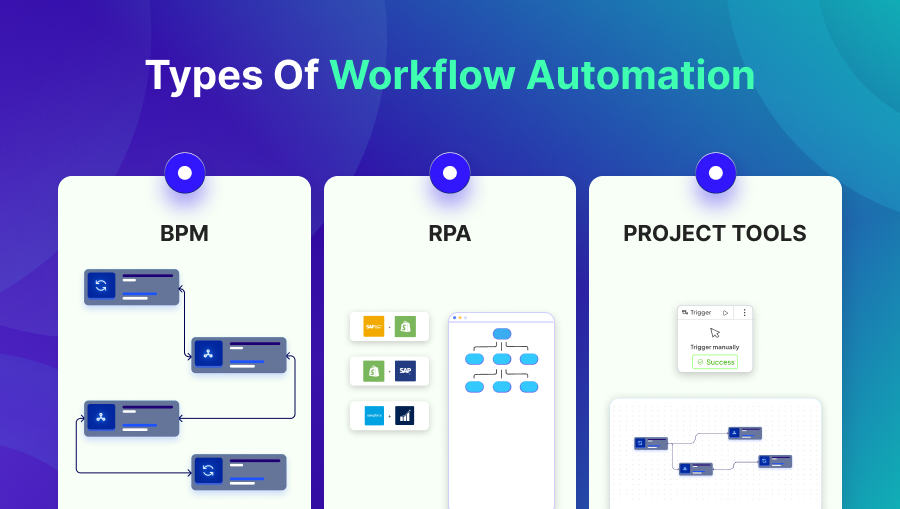
Not all workflow automation tools do the same job. Some manage long processes with approvals, while others focus on task movement or screen-based repetition.
A. Business Process Management Software
BPM software is built for managing defined business processes end-to-end. It lets teams map the steps, control how work moves, and keep an auditable record of decisions. It works best when the workflow is complex, approval-heavy, and needs strong traceability.
A common strength of BPM tools is controlled routing and clear process visibility. Work moves based on roles, and progress is tracked in a way leaders can audit. This helps standardize how teams work, so outcomes do not depend on who happens to be handling the task.
B. Robotic Process Automation
RPA works by driving the user interface. It “uses” apps the way a human does, by opening screens, entering values, and clicking through steps to transfer data between systems. This can solve problems when legacy software has no clean API or connector. The trade-off is stability because small UI changes can break the bot and create maintenance work. For that reason, teams often use RPA to keep things running during modernization, not as the final long-term integration strategy.
C. Project Management Tools
Project management tools automate coordination inside boards and task lists. They can trigger assignments, notifications, and status changes when a task moves to a new stage.
This approach is useful for lightweight workflows, especially inside teams that already run their work through projects. It is usually not enough for complex workflows that require detailed approvals, audit trails, or deep system updates.
Workflow Automation Use Cases

Workflow automation is most useful when the process repeats often and the “between work” wastes time. These use cases show how automation fits into daily operations without overcomplicating the system.
Sales
With automation, lead routing becomes predictable. Leads can be sent to the right owner by territory, follow-ups can be created automatically, and the handoff into an opportunity can follow the same steps every time. That consistency matters most when things get hectic, because fewer leads slip through the cracks or get delayed.
CRM Workflows
CRM workflows often involve record updates, reminders, and status changes that people forget when they are moving fast. Workflow automation can prompt next steps when a deal stalls, request missing details before a stage change, and keep data cleaner for reporting.
This helps because the CRM becomes a place teams trust, not a place they update only when they have extra time.
Finance Approvals
Finance approvals are a classic fit because the steps are structured. Expense requests, purchase approvals, and invoice routing can follow clear rules, and automation can ensure each request reaches the right approver.
It also improves accountability because when approvals are tracked by the system, finance teams spend less time proving what happened and more time resolving real exceptions.
HR Onboarding
Onboarding works best when nothing gets missed, but it is difficult to manage manually across teams. With automation, you can turn the process into a measured checklist, assign tasks, and keep everyone in the loop when steps are completed or overdue. That minimizes internal back-and-forth and helps new hires feel supported from day one.
IT Service Requests
IT service requests include access requests, software installs, and troubleshooting tickets. Automation can route tickets based on category, apply priority rules, and ensure approvals happen for sensitive access changes.
This reduces delays and helps IT teams keep control without slowing work through manual gatekeeping.
Marketing Operations
In marketing ops, work rarely moves in a straight line. Content needs reviews, approvals, and final checks before anything goes live. Workflow automation keeps that flow organized by sending assets to the right reviewers, recording decisions, and reducing errors caused by missed handoffs. It also brings consistency when many contributors are involved and changes happen under tight timelines.
How to Automate Business Workflow?
If you want workflow automation that stays safe, approach it with discipline and restraint. Do not chase “automation everywhere.” Target the workflow that costs the most time and creates the most recurring confusion, then automate it in a controlled way.
Step 1 – Pick the Right First Workflow
Choose a workflow that is frequent, clear, and painful. Frequent means it happens often enough that savings matter. Clear means you can define what “done” looks like. Painful means people regularly chase updates, repeat steps, or fix avoidable mistakes.
For a simple starting set, pick approvals, ticket routing, and onboarding work. These are widely used, repeat often, and have clear success signals once automated, such as faster approvals, fewer misrouted tickets, and fewer onboarding steps slipping through.
Step 2 – Map It and Remove Waste Before Automating
Divide the workflow down into single steps and make each one explicit. Assign ownership, list the inputs needed, and define the expected result before moving to the next step. Then look for waste, like repeated approvals and legacy steps that exist only because the process was never updated.
The reason this is important is simple: automation speeds everything up. If the underlying workflow is confusing, you will only create faster confusion, and people will lose trust in the automation.
Step 3 – Build in Stages
Roll out the workflow step by step instead of trying to automate everything at once. First, make ownership and status clear through routing and tracking. Next, introduce notifications and light updates inside your tools. Only after the workflow runs reliably should you add higher-impact actions.
Do not remove approvals where they matter. Review steps are a core part of safe automation, especially for financial actions, access changes, and anything that affects what you promise to customers.
Step 4 – Test, Monitor, and Improve
Use live inputs during testing, since real requests are rarely complete and often include odd cases. Run the workflow with a limited group first, inspect the outcomes, and adjust the rules until the flow is reliable, then expand it to the wider team.
Plan for monitoring upfront so you can see failures and understand the cause. Otherwise, the workflow will fail quietly and work will pile up without anyone noticing, which breaks trust.
After launch, treat it as ongoing work. Processes evolve, so the automation should be refined in small steps, and steady monthly improvements tend to beat large rewrites.
Future Trends in Workflow and Automation
Workflow and automation are moving toward systems that handle more variety without becoming harder to control. Teams want automation that fits messy reality, but they still want clear ownership and safe boundaries.
One trend is stronger use of AI inside workflows, especially for sorting and understanding requests. Instead of relying only on fixed fields, systems can interpret text, pull key details, and suggest next steps. This helps automate work that used to be too unstructured for traditional rules.
Governance is becoming a bigger priority because once automation starts touching revenue, customer promises, and sensitive data, you need clear access limits, reliable audit trails, and approval paths that are hard to bypass. The focus is no longer just automation capability but controlled automation.
You will also see more attention on visibility and measurement. Teams want to know where work is slowing down, how long approvals take, and what exceptions happen most. That information makes process improvement easier, and it helps leaders reduce bottlenecks without guessing.
Finally, more automation will span departments instead of staying inside one team. When workflows cross sales, finance, support, and operations, coordination improves, and the business spends less time doing duplicate checks in parallel tools.
Conclusion
The point of workflow and automation is simple: reduce the chasing and keep work moving. A well-defined process with sensible rules makes handoffs cleaner, prevents avoidable errors, and keeps everyone aligned because progress stays visible.
For automation that holds up over time, focus on one workflow first. Map it clearly, remove outdated steps, and implement it in stages so you can learn safely. Done well, automated workflows are one of the easiest ways to scale operations while keeping confusion under control.
Leave a Reply