AI Automation
AI automation sounds like a buzzword until you see what it fixes. Most teams already have automation, but it often breaks the moment inputs get messy or the process needs judgment. People step in to copy data between tools and chase updates across systems, which is where time disappears.
AI automation is the next stage of automation. It uses AI to interpret requests, gather the right context, and push work ahead with fewer manual steps. It needs clear rules, ownership, and accountability, but it handles messy real-world inputs that rigid, rule-based flows often miss.
This article discusses AI automation, explains where it offers the most value, and outlines a safe rollout path so it does not become another brittle system.
What Is AI Automation?
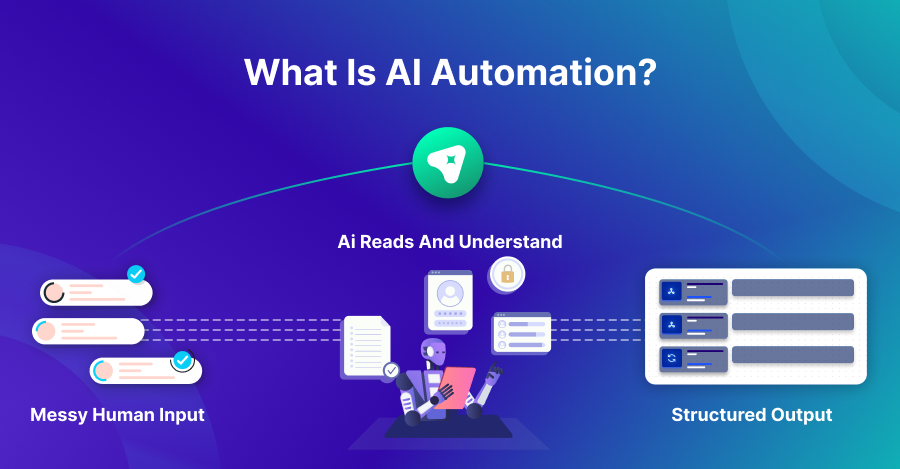
AI automation is the use of AI systems to run parts of a workflow that normally require interpretation, judgment, or pattern recognition. It goes beyond rule-based automation because it can handle messy inputs like emails, chat messages, documents, and free-text requests.
Take a simple rule: If the form says X, it goes to team Y. It is simple, but it breaks the moment the input is messy, has missing fields, or is written differently than expected. AI automation is built for the opposite situation. It can read a request, understand the intent, capture important details, and route the work even when the message is vague or incomplete.
Terms like automated AI and automation AI show up a lot, but they usually describe the same expectation. People want automation that understands context and variation, while still staying dependable. In practice, the reliable approach is workflow-first, where AI supports each step instead of acting as the entire system.
AI automation also fits inside a broader shift: artificial intelligence in automation is moving from “answers in a chat interface” to “actions inside real business systems.” That action part is what creates value, but it is also what requires control and careful design.
How Does AI Automation Work?
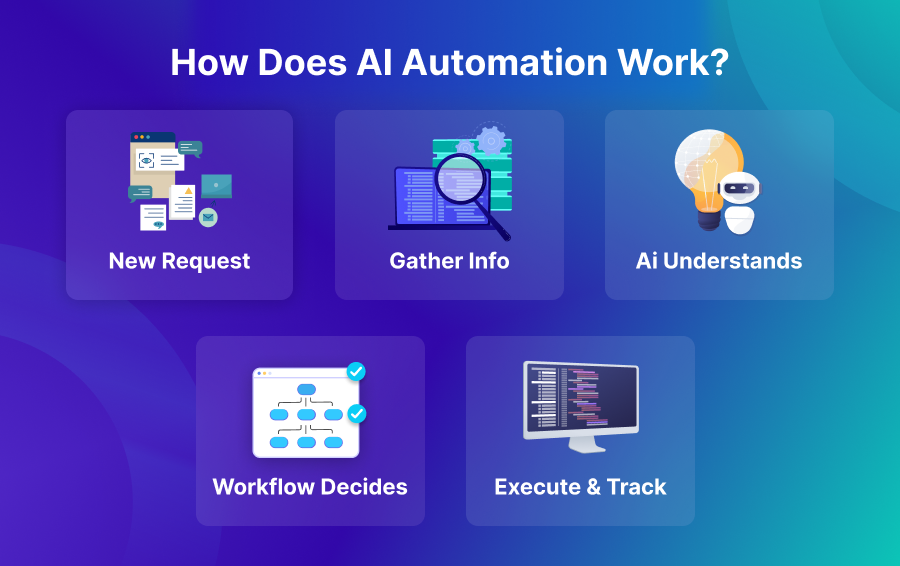
AI automation works as a connected workflow that combines AI with standard automation building blocks. The AI does not replace the workflow. Instead, it supports the parts that are difficult to define with fixed rules, like understanding intent, extracting details, and choosing the next best step.
AI automation flows usually start when something new comes in. That input might be a support ticket, an email, a sales form submission, an invoice, or a monitoring alert. Once the trigger happens, the workflow gathers the background it needs from the right systems, like CRM history, ERP transactions, and internal policy or documentation sources.
Next comes interpretation, where the AI classifies the request, extracts important fields, and summarizes what matters. This is the step that turns unstructured input into structured signals, which the rest of the workflow can use reliably.
After interpretation, the workflow makes decisions, such as routing to a team, choosing a template response, creating a record in a business system, or triggering a follow-up action. In higher-risk cases, it can pause for human review. That review step matters because using AI to automate tasks does not mean removing humans from important decisions.
The final stage is execution and tracking. The workflow updates systems, logs what happened, and surfaces exceptions. Monitoring is a core part of AI automation because failures will happen. A reliable workflow makes failures visible and recoverable, rather than silent and expensive.
Benefits of AI Automation
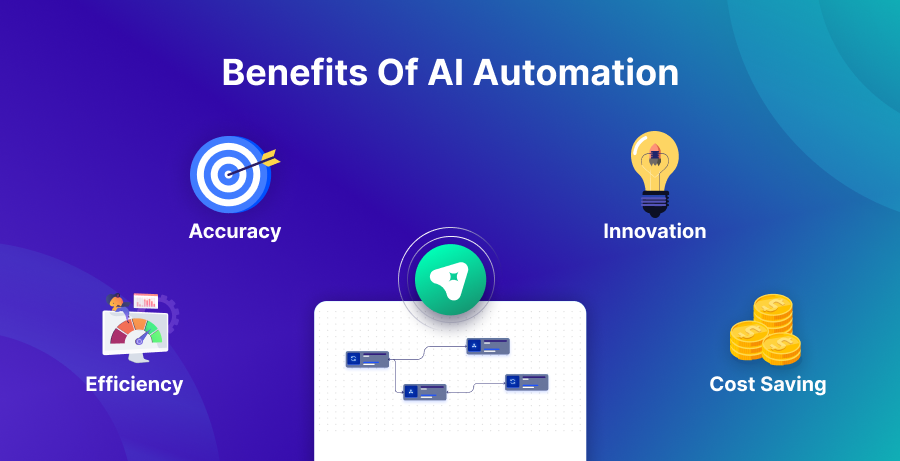
AI automation brings value when it reduces manual work without reducing quality. The benefits are usually felt in daily operations, not in one big dramatic moment.
Efficiency
A lot of time is lost on admin-heavy tasks, not real problem-solving. People read incoming requests, classify them, extract the important fields, and then move the same data across tools. AI automation can do most of that groundwork, so teams spend more time handling exceptions and making the calls that still need judgment.
It also improves speed through better routing. When a workflow can detect intent and urgency early, it sends work to the right path sooner. That reduces handoffs and cuts the time a request spends waiting in the wrong queue.
Efficiency becomes powerful at scale. A small time saving per request does not look dramatic on its own, but multiplied across a large volume, it can change throughput, response times, and team workload.
Accuracy
Accuracy improves when workflows include checks, validation, and clear data rules. AI can extract and classify at scale, but the workflow should still verify required fields, enforce formats, and flag uncertainty.
Human error also drops when copy-paste work goes away. People make mistakes when they are rushed or switching tools, and automation reduces those moments. The output becomes more consistent, which improves trust in the data.
Accuracy improves further when the system learns from corrections. When humans adjust outputs, those changes can guide better prompts, stronger validation, and better routing rules over time.
Cost Savings
Most savings show up in how smoothly work moves, not in replacing people. Automating the repeat steps lets a team process more requests with the same effort, so the cost of each transaction drops. The bigger leak is often rework caused by broken processes. Bad data forces extra cycles: fixing entries, doing customer follow-ups, and untangling mistakes that later hit invoicing, reports, and reconciliations. AI automation reduces those errors when the workflow is designed to catch problems early.
Costs also become more predictable when workflows are stable. Fewer emergencies and fewer manual cleanups make staffing and planning easier.
Innovation
Innovation improves when teams get time back. When workflows handle repetitive processing, people can invest time in better customer journeys, better product operations, and better internal processes.
AI-driven automation can also help teams spot patterns. It can surface common reasons tickets escalate, identify where orders get delayed, or highlight repeated exceptions in procure-to-pay workflows. Those insights help teams improve the system, not just run it.
The strongest innovation is practical, showing up as smoother workflows and fewer bottlenecks rather than flashy demos.
Agility
Agility improves because AI automation handles variation better than rigid rules. Real-world inputs are not clean: customers write long messages, suppliers send odd invoice formats, and teams use different terms for the same issue. AI can interpret that variation and keep the workflow moving.
Agility matters because processes never stay fixed. Policies change, tools get replaced, and new channels get added. With a well-designed automation flow, you can update the steps without rebuilding everything from zero, so operations keep moving as the business grows.
What Are the Use Cases of AI Automation?
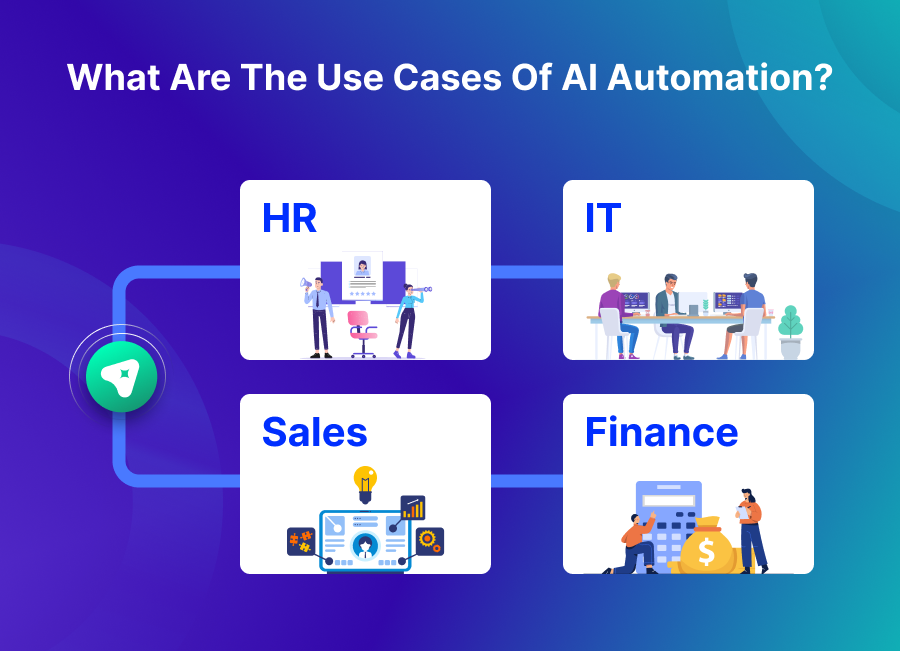
AI automation works best when the workflow has clear outcomes and meaningful volume. It is also most effective when humans spend time on repetitive interpretation and routing.
Customer Service
Customer service is a strong fit because the same types of requests keep coming in, but the messages rarely look neat. AI automation can sort tickets by intent, pull out key details, suggest a draft response, and send the issue to the right team. It can also add helpful context to the ticket, like order status or account history, so agents stop jumping between tools to piece things together.
For sensitive cases, the workflow can require human approval before anything goes out. The result is faster replies without dropping quality, and fewer tickets bouncing around due to incorrect routing.
HR & Onboarding
HR workflows include repeated questions, document collection, and onboarding tasks that can be standardized. AI automation can guide new hires through checklists, collect required details, and route requests to the right internal owner.
It can also answer common policy questions when the workflow pulls from approved sources. That reduces repetitive back-and-forth while keeping answers consistent.
Sensitive decisions still need humans, so a good workflow supports HR by reducing admin work instead of automating judgment calls.
Finance
Finance operations rely on precision, but the inputs are not always clean. Teams handle invoices, approval chains, exception reviews, and end-of-period reconciliation, often across multiple tools. AI automation can standardize the front end by pulling invoice data, classifying expenses, detecting policy issues, and routing approvals using clear thresholds.
It can also support collections by ensuring required details are present and by syncing invoice status changes so everyone sees the same truth. When records stay aligned, finance spends less time fixing mismatches and more time resolving real problems. Add checks and clear logging, and you get faster processing with a stronger audit trail.
Marketing & Sales
Lead capture and follow-ups move quickly, but CRM hygiene and meeting notes often lag behind. AI automation helps by adding context to lead records, drafting outreach that matches the account, summarizing calls into usable updates, and suggesting next steps using signals like replies, meetings, and recent interactions.
It can also help sales operations by detecting missing fields and prompting cleanup before records become unreliable. This is a practical example of using AI to automate tasks that quietly consume hours every week.
The best setups keep control simple by supporting reps with drafts and prompts rather than flooding them with automation noise.
IT Operations
IT operations teams handle alerts, incident tickets, and repeated diagnostic steps. AI automation can summarize logs, classify incidents, suggest likely causes, and route to the right on-call group.
It can also reduce alert overload by grouping related events and highlighting what changed recently. Clear context removes busywork for engineers. With the right details surfaced upfront, they stop bouncing between dashboards and start working on the actual resolution.
Since IT changes can have a large business impact, workflows should scope access tightly and require approvals for major actions. This keeps automation productive without making it risky.
Manufacturing
Manufacturing workflows include maintenance, quality checks, and coordination between planning and execution systems. AI automation can detect anomalies, summarize shift reports, and trigger work orders based on early warning signals.
Procurement is another place where AI automation adds value. It can flag suppliers that keep slipping on timelines and surface trends that point to an upcoming parts crunch. Paired with clear rules, this lets teams step in earlier instead of reacting after schedules are already broken. In manufacturing, the goal is not clever output; it is dependable execution.
A strong workflow limits noise, reduces false alerts, and gives teams a clean path for handling exceptions.
AI Automation Implementation Steps
AI automation works best when it is rolled out like an operational product. That means clear scope, real measurement, and careful scaling.
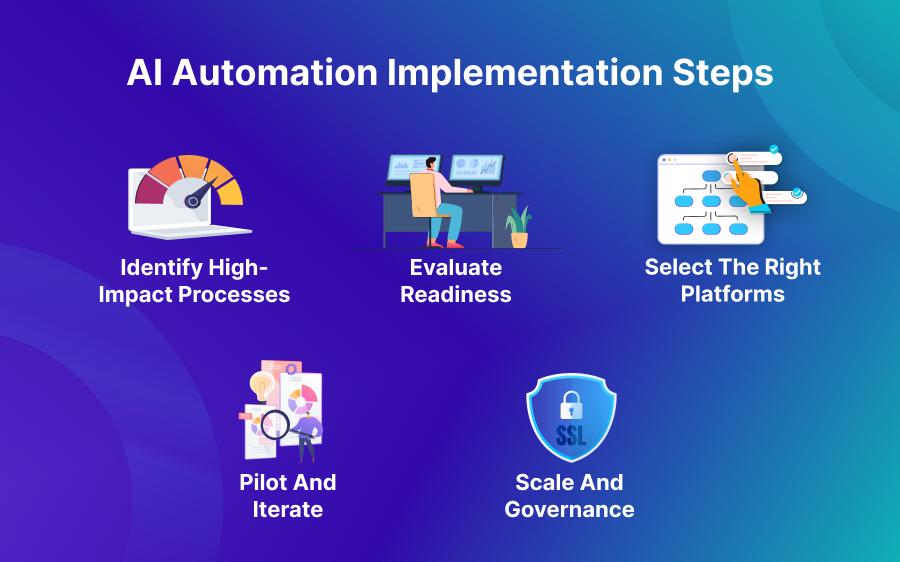
1. Identify High-Impact Processes
Start with a workflow that is frequent, visible, and painful. Look for steps where people read, interpret, extract details, and then move data between tools.
Pick a process with a clear start and a clear finish. If the team cannot define what “done” means, the automation will drift and create confusion.
A strong first choice is a workflow that has measurable outcomes, such as reduced handling time, fewer escalations, or fewer manual touches per request.
2. Evaluate Readiness
Readiness is about data quality, process clarity, and ownership. If inputs are inconsistent, the project turns into cleanup work. If ownership is unclear, exceptions will get stuck.
Define boundaries early by deciding what actions can run automatically and which actions require review. Many teams ask how to use AI to automate tasks safely, and the practical answer begins with clear limits and escalation rules.
Also check whether you have the right context sources. If the workflow cannot access the data it needs, the AI will guess, and guessing creates mistakes.
3. Select the Right Platforms
Platform choice should match the workflow, not the hype. Some teams need deep integrations. Others need strong monitoring. Many need governance features like role-based access and clear audit logs.
Avoid selecting tools based only on model quality. You also need workflow controls, versioning, and reliable failure handling, or the automation will become hard to run.
A good platform choice supports iteration. It should make it easy to adjust prompts, update mappings, and add validation steps without turning every change into a redevelopment project.
4. Pilot and Iterate
A pilot should be small but real. Use real inputs and measure the outcomes. Keep humans in the loop at the start so you can learn where the workflow fails.
Iteration is where quality is earned. You refine extraction rules, improve routing, tighten validation, and reduce false positives. Over time, you can expand automation coverage where results remain stable.
Pilots also build trust. When teams see that the workflow behaves predictably and handles exceptions cleanly, adoption becomes much easier.
5. Scale and Governance
Scaling is not only about volume but also about consistency across teams and systems, which requires governance.
Assign owners for each workflow and define what changes require review and how updates are deployed. Standardize logging and monitoring so issues are detected early.
Governance also protects the business when edge cases appear. With clear controls, you can scale AI automation without turning every incident into a fire drill.
Impact of AI Automation
The impact of AI automation shows up in how work flows through the business. When repetitive processing is reduced, teams stop losing time to basic coordination and start focusing on decisions and exceptions.
One visible impact is faster cycle time. Requests move through the system with fewer handoffs, and that reduces waiting. Another impact is cleaner data and better consistency because updates are applied the same way each time rather than being handled differently by different people.
AI automation also changes how teams collaborate. When workflows attach context automatically, fewer conversations are spent “finding the status” and more conversations are spent solving the real problem. That shift improves productivity without requiring a major reorganization.
A deeper impact is trust. When data stays consistent across systems, teams stop verifying everything manually. That trust is often the difference between automation that sticks and automation that gets ignored.
Finally, AI automation supports scale by carrying more of the load as volume rises. Teams can grow output without growing manual coordination at the same rate.
Future Innovations in AI and Automation
The next phase of AI automation will focus less on what looks impressive and more on what holds up under pressure. Teams are moving toward workflows that accept more kinds of inputs, run stronger checks, and make better calls on when to take action versus when to escalate to a person.
A big shift will be how messy inputs are handled. More workflows will start from emails, PDFs, chat threads, and screenshots, then turn that content into structured records that systems can use. That reduces the time teams waste reformatting information before any real work can begin.
Another direction is stronger evaluation and monitoring. Instead of reacting to failures after the fact, teams will test changes on small example sets before deploying them broadly. They will also track practical signals like correction rate, escalation rate, and time saved per workflow.
Guardrails will improve as well, and workflows will become clearer about what they are allowed to do, which actions require approval, and which actions are blocked entirely. This is important because automation that can take actions must also be easy to control.
Expect automation to move closer to the business tools themselves. Rather than building separate screens to manage AI activity, the workflow should push updates into the existing apps teams rely on. When work stays inside familiar systems, adoption is higher and fewer things get missed.
None of these shifts remove the basics. The teams that do well will still pick the right processes, keep humans in the loop where risk is real, and iterate based on measurable outcomes.
Conclusion
The goal of AI automation is bigger than faster task completion. The real value is in workflows that can read unstructured requests, reach consistent outcomes, and take controlled actions across your systems. With solid rules, controls, and monitoring, it lessens the need for handoffs and back-and-forth while making results more predictable. That frees teams from repetitive processing and lets them focus on exceptions and decisions.
Start by picking one workflow that matters, run a pilot using real-world inputs, and tighten it over time. This keeps AI automation stable and useful instead of turning it into another source of alerts and confusion.
Leave a Reply